⚡ The Plugin Consolidation Rule
Every active WordPress plugin adds database queries, HTTP asset requests, and potential CVE security attack surfaces. Consolidating 15+ disparate utility plugins into a single bespoke, object-oriented PHP 8.3 mu-plugin reduces server database overhead by up to 75% and slashes mobile page load times under 1.0 second.
It starts innocently. You install a plugin for contact forms. Then another for Google Analytics tracking. Then one for custom post types, another for social media icons, one for schema markup, another for 301 redirects, and a caching plugin to try and fix the slowdown caused by the first six.
Before you know it, your WordPress dashboard lists 38 active plugins. Your site takes 4.2 seconds to load on 4G mobile devices, plugins frequently conflict after updates, and your monthly hosting bill creeps higher to handle CPU spikes.
In this technical engineering guide, we break down how we audit, refactor, and consolidate bloated WordPress websites into lean, high-speed machines using clean PHP code and custom plugin architecture.
1. The Four Hidden Penalties of Plugin Overload
When you rely on third-party plugins for features that require only a few lines of code, your site pays four compounding penalties:
| Performance Vector | The Problem with Generic Plugins | The Bespoke Code Solution |
|---|---|---|
| Asset Loading Overhead | Most plugins enqueue 3 to 6 CSS and JS files on every single page of your site, even pages where the plugin isn’t active. | Assets load conditionally only on relevant templates using strict hook guards. |
| Database Query Tax | Plugins flood the `wp_options` table with autoloaded transient rows, forcing MySQL to parse megabytes of memory on every page load. | Data is indexed cleanly into dedicated custom tables or lean postmeta with strict autoload controls. |
| Security Attack Surface | Over 95% of recorded WordPress vulnerabilities occur in third-party marketplace plugins and abandoned extensions. | Custom code adheres to strict WordPress VIP sanitization (`sanitize_text_field`, `wp_verify_nonce`, prepared SQL queries). |
| Update Fragility | Updating 30 plugins means crossing your fingers that two authors didn’t define conflicting PHP function names or jQuery versions. | Consolidated logic is namespaced under a single, tested architecture that never breaks on core updates. |
Uncontrolled plugin bloat directly degrades user experience and search rankings. To understand how third-party scripts cripple mobile metrics like INP and LCP, read our comprehensive Core Web Vitals Optimization Checklist.
2. Five Common Plugin Categories You Can Replace Today
Here are five of the most common categories where websites install heavy plugins that should actually be handled by native code:
A. Custom Post Types & Custom Taxonomies
Plugins like CPT UI add database queries and administrative overhead to perform an action that WordPress provides natively. You can replace the entire plugin with a clean function hook in your theme’s `functions.php` or a custom mu-plugin:
add_action( 'init', function() {
    register_post_type( 'case_study', [
        'labels'      => [ 'name' => 'Case Studies', 'singular_name' => 'Case Study' ],
        'public'      => true,
        'has_archive' => true,
        'rewrite'     => [ 'slug' => 'portfolio' ],
        'supports'    => [ 'title', 'editor', 'thumbnail', 'excerpt' ],
        'show_in_rest'=> true, // Gutenberg enabled
    ] );
} );
B. Tracking Codes, Meta Pixels, and Analytics
Installing multiple plugins to inject Google Tag Manager, Meta Pixel, or LinkedIn Insight tags is unnecessary. A single hook in `wp_head` handles tracking scripts asynchronously with zero database calls:
add_action( 'wp_head', function() {
    if ( is_user_logged_in() ) return; // Prevent admin sessions from skewing analytics
    ?>
    <!-- Asynchronous Analytics Scripts Here -->
    <?php
}, 1 );
C. JSON-LD Structured Data & Schema
Heavy SEO plugins often generate bloated, generic schema with duplicate entries that confuse search engines. We inject structured, contextual JSON-LD entities (like `ProfessionalService`, `LocalBusiness`, and `FAQPage`) directly through template hooks, ensuring 100% schema accuracy with zero CPU delay.
D. Duplicate Post & Clone Utilities
You don’t need a standalone plugin just to duplicate a page or post draft. A 30-line PHP snippet hooked to `post_row_actions` gives you native, one-click draft duplication right inside the admin list.
E. Basic Form Capture & Lead Routing
Bulky form builders load multi-megabyte JavaScript libraries, stylesheet themes, and reCAPTCHA scripts on every page. For simple contact and estimate forms, engineering a lightweight form that submits to a native WordPress REST API endpoint (`/wp-json/cdm/v1/submit-lead`) cuts hundreds of kilobytes of bloat while ensuring spam-free deliverability.
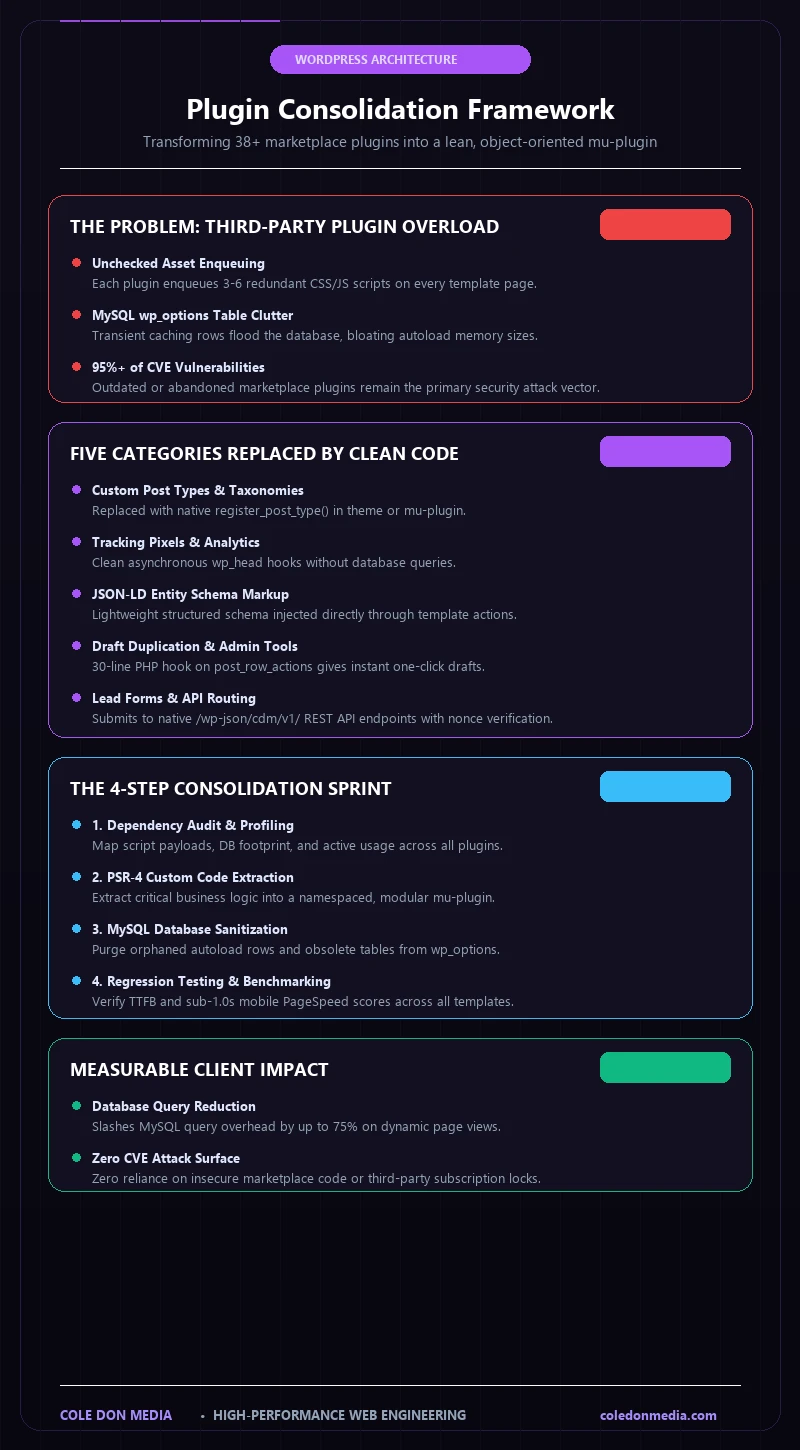
3. The Cole Don Media Consolidation Framework
When clients hire us for custom WordPress plugin development and code refactoring, we follow a rigorous 4-step consolidation sprint:
- Plugin Inventory & Dependency Mapping: We audit every active and inactive plugin, mapping database footprint, script payloads, and feature usage.
- Code Extraction & Architecture: We extract essential business logic into an object-oriented, custom-engineered plugin with PSR-4 autoloading.
- Database Optimization: We purge orphaned options, transient clutter, and unindexed tables from the `wp_options` table.
- Regression Testing & Benchmark Verification: We benchmark before-and-after TTFB, Google PageSpeed, and database query counts to prove quantifiable ROI.
4. When IS a Third-Party Plugin Justified?
We aren’t dogmatic about never using plugins. Specialized tools with complex security models or dedicated engineering teams—such as WooCommerce for enterprise checkout, Advanced Custom Fields Pro for structured schema data, or LiteSpeed Cache for server-level caching—are battle-tested and effective.
The golden rule is simple: Use plugins for complex ecosystems; write custom code for features, styling, and integrations.
When your product requirements exceed what a standard CMS can cleanly deliver—such as real-time customer dashboards, interactive quoting engines, or multi-tenant SaaS portals—re-engineering your frontend with React may be a superior path. Explore our architectural breakdown in Next.js vs. Traditional WordPress in 2026.
🚀 Ready to Unburden Your WordPress Site?
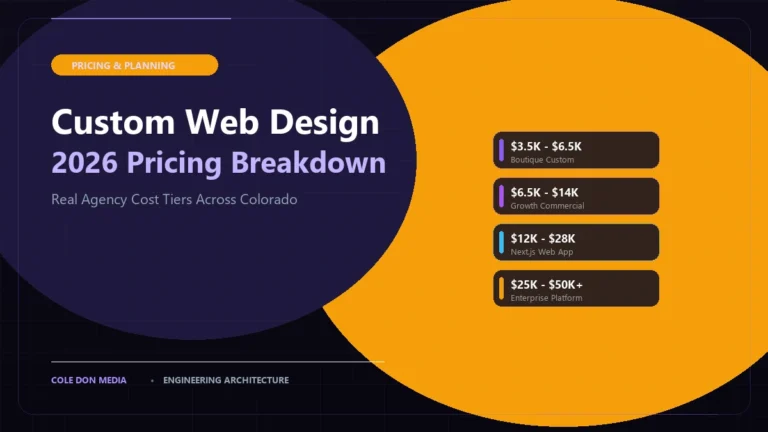
If your WordPress site feels bogged down by plugin conflicts and slow load speeds, let us conduct a full code audit. Compare development costs in our 2026 Web Design Pricing Guide, run an instant calculation with our Project Estimator, or get in touch to scope a consolidation sprint.